
Strategy App Builder
App Builder discovers how your software works and builds what you need.
Starting with the applications and workflows you choose, App Builder maps existing configurations and business rules into a specification your team can review. It generates a first working version on the Strategy Intelligence Platform, then checks the code against the agreed specification. Move from discovery to working software without months of manual documentation.
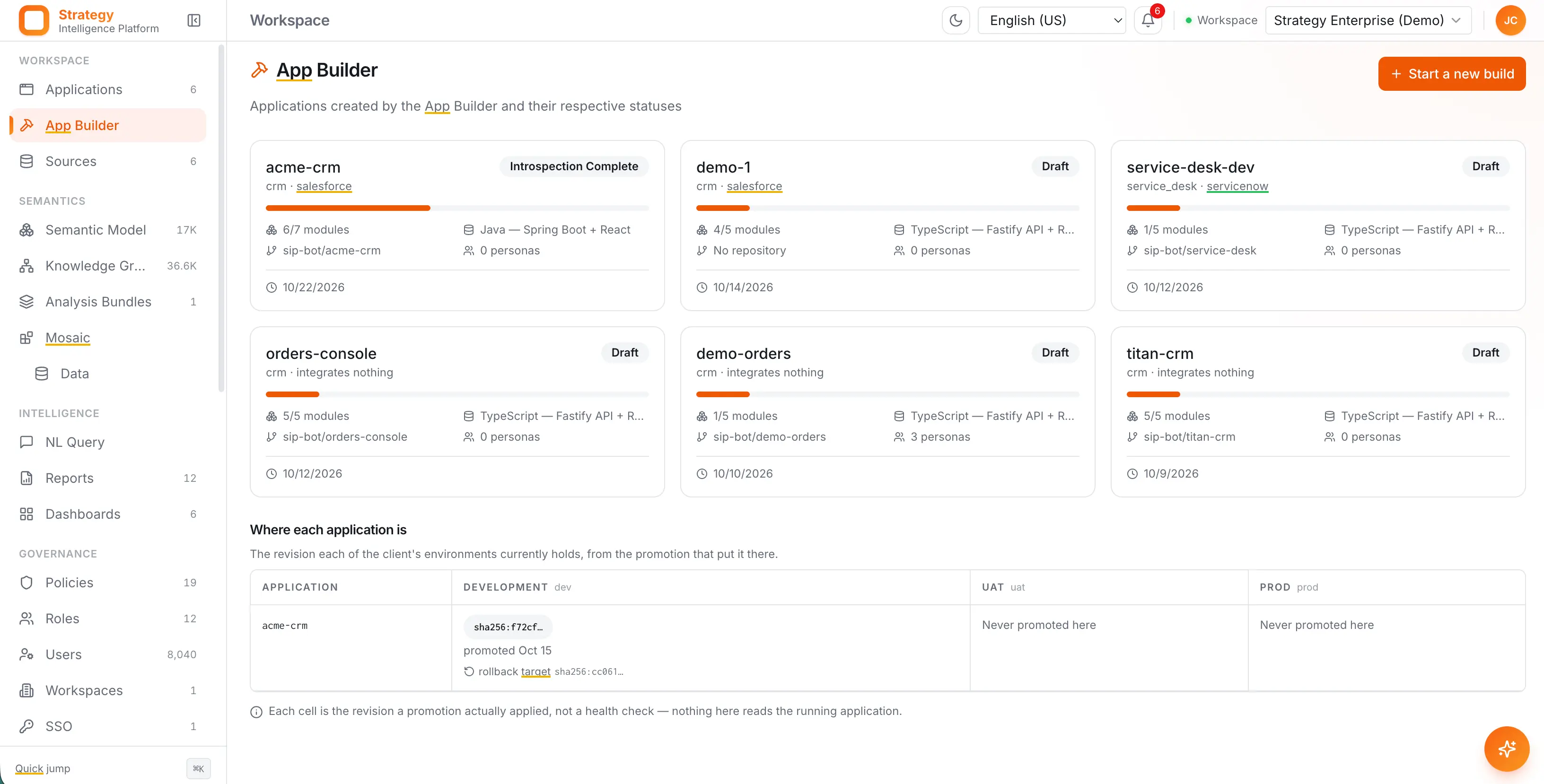
Discovers existing workflows and business rules
Skip months of requirements gathering
Generates the app, then checks the code for functional completeness
What it maps
The system you run already encodes the requirements
Twenty years of decisions are sitting in the configuration of the software you are replacing.

Schema
Objects, fields and relationships
The data model you actually run, including the custom objects and fields added over the years, and which of them carry real meaning.

Screens
Layouts, forms and the paths through them
What each role sees, what they are asked to fill in, and where a process actually starts and ends.
Logic
Workflow, approval and validation rules
Routing, entitlement, stage gates and the validation rules that encode policy.

Usage
What people use and what they ignore
Which fields get filled, which screens get visited and which paths are dead, so you do not carry forward the parts nobody uses.
Requirements
Skip months of requirements gathering
The output is a specification in business language: entities, metrics, states, approvals and rules, each one traced back to the place in the old system it came from.

Specification
Written in business language
Entities, relationships, metrics, states and approval chains, described so the people who run the process can read them and say where they are wrong.

Provenance
Every requirement points at its source
Each item names the object, field, rule or workflow it came from, so a disagreement is settled by looking at the old system rather than by debating it.
Decisions
What to keep and what to leave behind
Constraints the old product imposed show up as what they are, so you can drop them instead of faithfully rebuilding them in new software.

Sign-off
The business owns the specification
Nothing is generated until your team has been through it, and the approved specification is what the generated code is checked against later.
Generation
A full working application from data, to models to workflows, UI and governance.
The first version runs on the Strategy Intelligence Platform, against your real data, with permissions in force from the first screen.
Model
The data model and its definitions
Entities, relationships, hierarchies and metrics as governed definitions in the platform, so every later application reads the same meaning.

Interface
Screens built around the task
The forms, lists and views each role needs, generated from how the work is actually done rather than from a generic object browser.

Behavior
Workflows, rules and approvals
Routing, stage logic and approval chains as typed, versioned objects, including the steps that have to wait for a person.

Access
Permissions written before go-live
Who can see and change what, expressed as policy on the platform rather than as conditions scattered through application code.
What it inherits
Everything every application needs is already in the platform
Identity, governance, business definitions and integration are not generated into your application. They sit underneath it, which is why the generated app is small enough to read and change.

Identity
The app acts as the person using it
Not as a service account. Every request carries the real identity, and access is resolved in the platform before any data is fetched.

Definitions
One meaning across every app
Revenue, region and customer resolve through the same governed definitions the rest of the business already reads.

Governance
Policy and audit from the first call
Every read and every write is permission checked and recorded, whether it came from a screen, a script or an agent.

Integration
Your other systems, read where they sit
The platform reads the systems you are keeping, so the generated application needs no ETL project and no copies of the data.
Verification
The generated code is checked against the specification
Generation is only the beginning. App Builder compares the code with the approved specification and reports what is implemented, what is missing, and what has changed since sign-off.

Coverage
Requirement by requirement
Each item in the specification is marked met, partly met or missing, with the part of the codebase that satisfies it.
Traceability
From a business rule to what enforces it
An approval chain or a validation rule can be followed from the specification to the workflow, policy or code that implements it.

Drift
What changed since sign-off
Later changes are checked the same way, so the application and the specification do not quietly diverge over a year of edits.

Pipeline
The check runs in your build
A change that breaks a requirement, a policy or a definition fails the build rather than reaching production.
What you still own
What App Builder will not decide for you
App Builder maps what your software does today. Your team decides what your business should keep, change, or leave behind, and that decision is part of the process.
Approval
Nothing is generated unreviewed
The specification goes to your team first. Generation starts from what they approved, not from what was read.

Judgment
Which rules deserve to survive
App Builder can show you that a rule exists and where it came from. Only you can say whether it is policy or an old workaround.

Ambiguity
It flags rather than guesses
Where the source system is contradictory or a field has been used two ways, that is raised as a question in the specification instead of being resolved quietly.

Ownership
The application is yours
The generated code, the model and the data belong to you, and you can read, change and run them without asking anyone.
